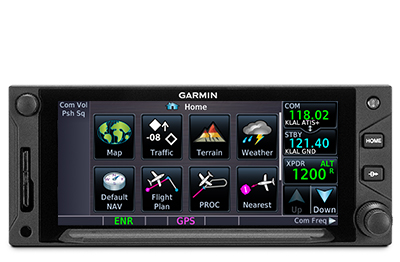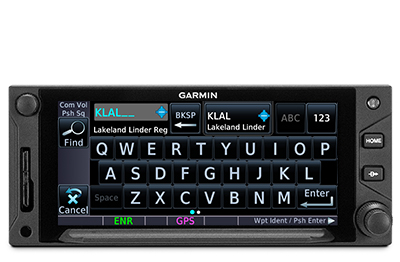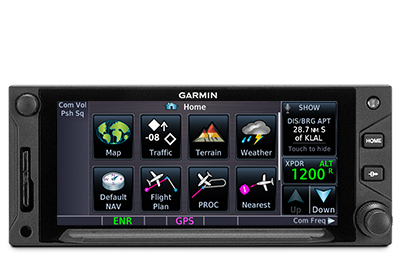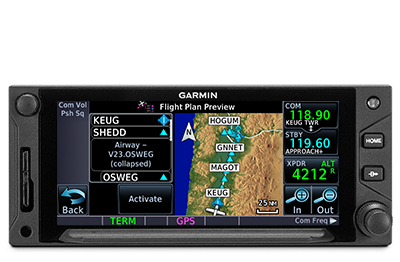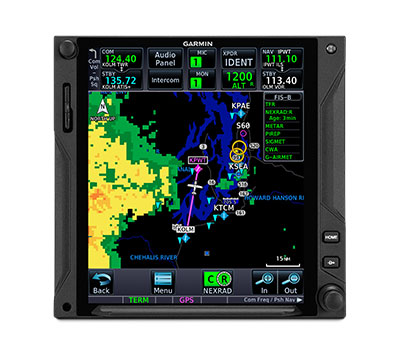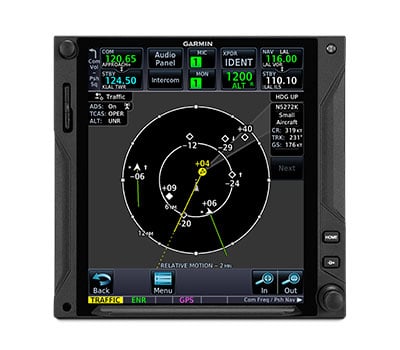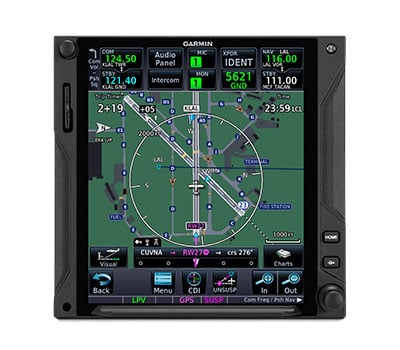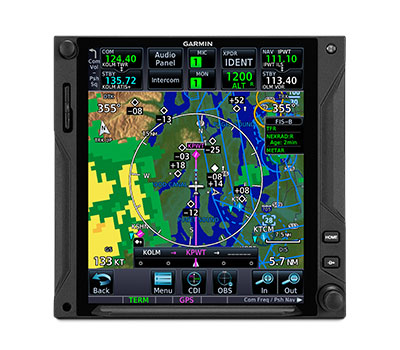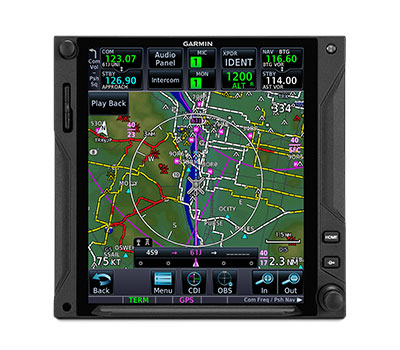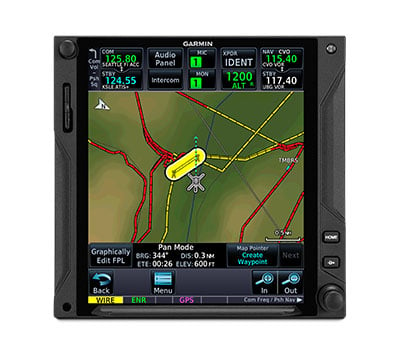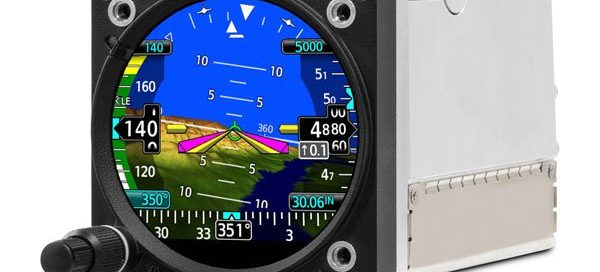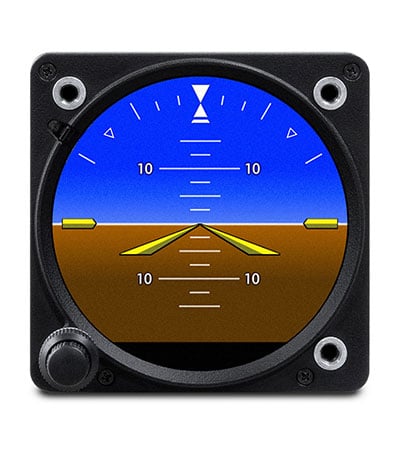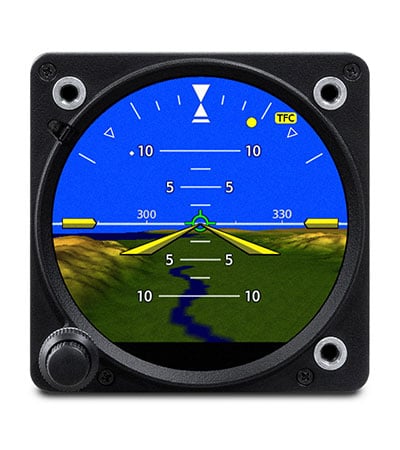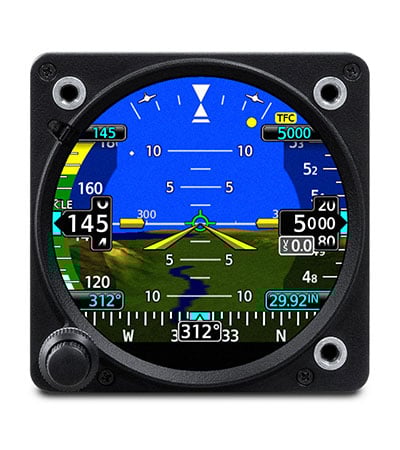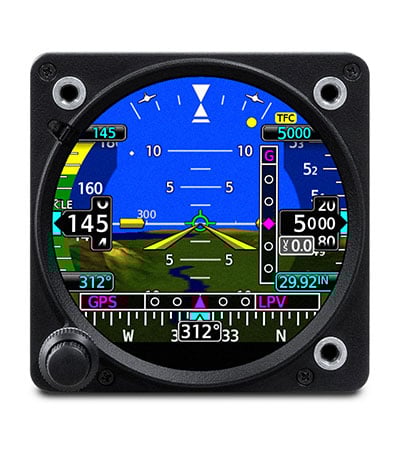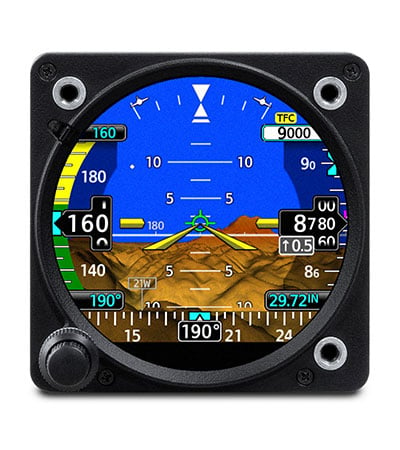
Garmin EIS TXi

Call us at (956) 725-8898 for aircraft compatibility and product matching!
Toggle

Real-time Engine Monitoring for TXi Touchscreen Series

  • Compatible with most normally aspirated or turbocharged Lycoming and Continental 4- to 6-cylinder engines powering GA singles and twins
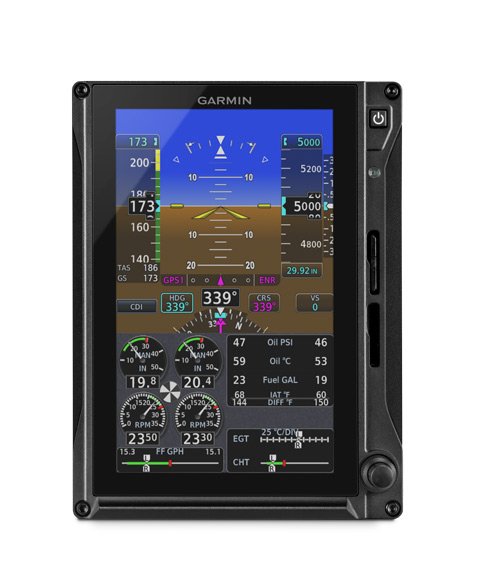
  • Engine indications can be viewed as an integrated EIS strip on a 10.6” G500 TXi/G600 TXi display or on a stand-alone 7” display1
  • Enables aircraft-specific tailoring of instrumentation inputs for engine, fuel, oil, electrical and other vital sensor data
  • Lean assist mode helps optimize fuel mixture settings for better fuel economy and more efficient engine operation
  • EIS data is automatically logged and can be wirelessly transmitted to the Garmin Pilot app on your mobile device2

EIS TXi

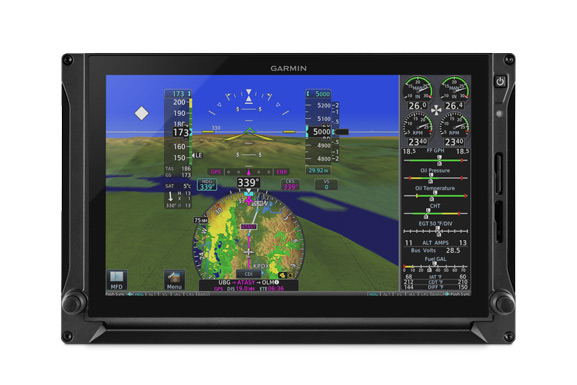
Take the guesswork out of fuel and engine management for your aircraft with Engine Indication System (EIS) TXi. This primary engine monitoring solution provides graphical readouts as well as pilot-friendly tools and calculations in a variety of configurations to fit your panel and budget. A single 10.6” TXi display can accommodate PFD information, a multifunction display (MFD) and a vertical EIS strip. And the 7” formats can act as dedicated EIS displays or as split-screen MFD/EIS displays1. Each makes it easy to see and analyze the critical engine, fuel and electrical parameters that can help you maintain the best, most efficient performance from your aircraft.

The Power of Good Information

Our EIS TXi system features bright, sunlight-readable displays and large, prominent engine gauges that provide real-time indications in an easy-to-read format — with color-coded pointers and data bands offering clear visual cues to indicate normal operating ranges, cautions and exceedances. Function gauges and indicators that facilitate power management on the display can include the following: manifold pressure, RPM, fuel flow, oil pressure and fuel quantity-per-tank readouts — plus Percent Power in Cirrus aircraft — and bar gauges display numerical values for additional precision.

You can also set caution alerts to advise you of fuel imbalances — or when you are near exceedance limits. In case of an actual exceedance event, each out-of-limit parameter is highlighted with a flashing indication on the screen to compel immediate attention. Engine operation times can be derived from Hobbs meter or tachometer inputs. The system can also be used to monitor the state of your aircraft’s electrical system, including display of the main bus voltage, alternator amperage and power load on the battery. And it offers a vacuum-gauge option for aircraft that use vacuum-driven standby instruments and systems, such as de-ice boots.

Monitoring Temperatures

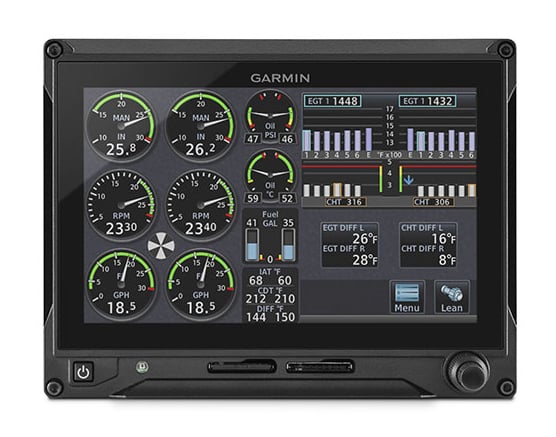
In addition to engine oil temperature, EIS TXi displays cylinder head and exhaust gas temperatures (EGT) for each cylinder in your engine. Since the temperature of the exhaust gas varies with the ratio of fuel to air entering the cylinders, EGT can be used as a basis for achieving the optimal fuel/air mixture for combustion. As you lean the mixture, the EGT rises as excess fuel is eliminated until the peak combustion point is achieved. By measuring the EGT of all cylinders in your engine, you can see which cylinder is first to peak and thus avoid overleaning. If you’re flying a turbocharged aircraft — including Tornado Alley Turbonormalizing systems in Cirrus aircraft — turbine inlet temperature can also be monitored with the EIS TXi system.
Monitoring Temperatures

Lean Assist Mode

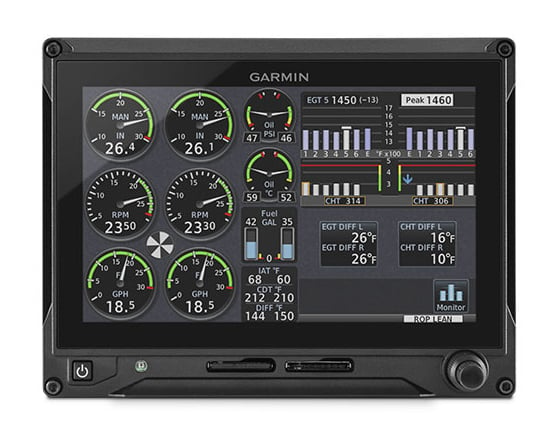
To make the fuel leaning process simpler and faster, EIS TXi offers an easy-to-use lean assist mode. Once cruise power has been established, simply press the dedicated “Lean” button on the display. Based on your preference, you can set mixture for either rich of peak or lean of peak to achieve the optimum balance of fuel economy and engine performance.

As you begin to lean the mixture — using the bar graph EGT display — the assist function simultaneously checks the EGT of all cylinders to identify either the first or last cylinder to reach peak. The system waits for the temperature indication to peak and then decreases by a minimum of 6 degrees F once the mixture is leaned. While waiting for the last engine cylinder to peak, violet-colored saddles indicate the maximum temperature reached for each of the other peaked cylinders. Once the peak occurs, the corresponding temperature bar on the graph turns white, and a white “saddle” marker indicates the appropriate cylinder. A numeric field also displays the current temperature and difference from peak for that cylinder — with this value changing to reflect all subsequent temperature fluctuations.
Lean Assist Mode

Integrated Fuel Computer

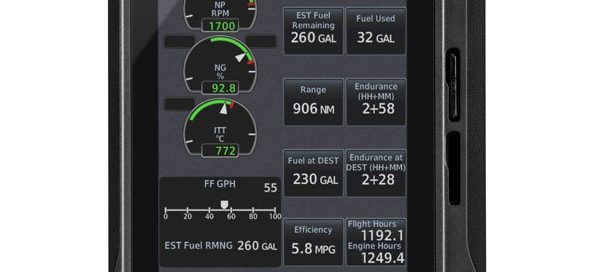
In addition to standard fuel quantity gauges, the EIS TXi system offers you the ability to enter and display fuel management calculations based on the unit’s integrated fuel computer. When you stop to refuel the aircraft, just update the entry for the total amount of fuel available in the tanks. You can also use quick-select “full fuel” and “fuel to tabs” buttons to enter those preset amounts. Once airborne, the system monitors your fuel flow and GPS information to estimate how much fuel, range and flight time you have left at the current settings — as well as how much fuel and endurance you’ll have left upon reaching your destination. Plus, EIS TXi also displays fuel quantities for up to six fuel tanks — or up to four in some twin Cessna aircraft with the ability to switch between tanks. And it’s compatible with CiES fuel float sensors.
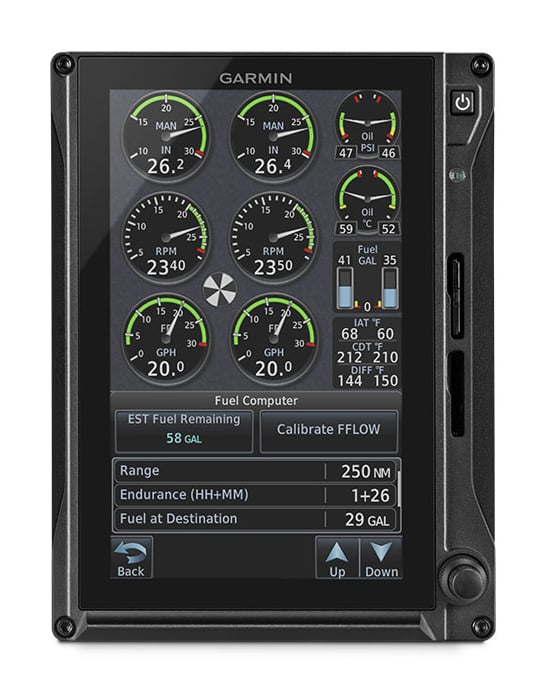
Integrated Fuel Computer

Automatically Monitor and Log Engine Data

To help you maintain control over aircraft maintenance and operating costs, built-in engine data logging capability is included with EIS TXi. Your aircraft’s engine performance, trend and exceedance analysis data are automatically monitored and stored on an SD™ card within an EIS display. When the EIS TXi system is paired with a Flight Stream 510 wireless gateway — either through an EIS-capable TXi display, GTN™ 650 or GTN 750 or GTN 650Xi or GTN 750Xi navigator — the data can be wirelessly transmitted to the Garmin Pilot app running on your compatible tablet or smartphone. Upon landing, the EIS data is then wirelessly uploaded to the flyGarmin® website and is stored securely within the app and on flyGarmin. By either means, this recorded data can be retrieved and used by your aircraft service technicians to identify performance issues or maintenance needs in time to help avert more costly repairs later.
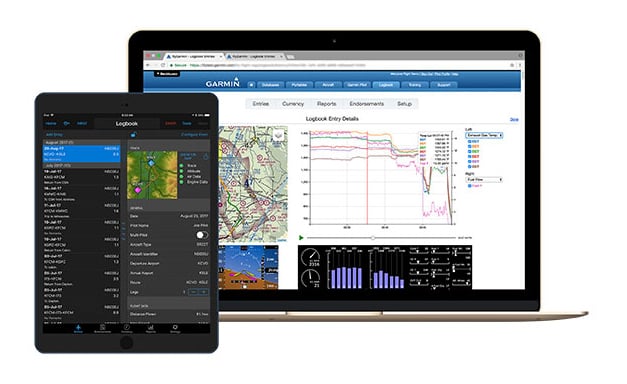
Lean Assist Mode

Smart Design, Simplified Installation

To further minimize the cost and complexity of installing your EIS TXi system, each of the engine sensors is connected to an interface adapter that is environmentally ruggedized to allow for mounting in the engine compartment — where shorter wiring runs can be accommodated. As an alternative, where mounting space is limited, the engine interface adapter can also be installed as a consolidated component on the back of the 10.6” G500 TXi and G600 TXi touchscreen displays.

A Clear Path to Higher Efficiency

With its intuitive touchscreen interface and flexible configuration options, EIS TXi offers a comprehensive engine monitoring solution for your aircraft’s glass cockpit system upgrade. With installation approval available for hundreds of today’s most popular aircraft makes and models, EIS TXi is ready to bring enhanced fuel management, improved engine efficiency, advanced maintenance diagnostics and a host of other safety-enhancing features to your Continental- or Lycoming-powered GA piston aircraft.

¹7” display split-screen MFD/EIS format is available for single-engine piston aircraft only
²Additional hardware may be required and is sold separately
Garmin G500 TXi

Call us at (956) 725-8898 for aircraft compatibility and product matching!
Toggle

Touchscreen Flight Displays for General Aviation Aircraft

  • Bright, crisp 10.6” and 7” LCD touchscreen displays offer industry-leading scalability and flexibility in a wide range of panel configurations
  • Engine indication system (EIS) optionally available on 7” displays or 10.6” display with split-screen data strip
  • HSI mapping enhances situational awareness with MFD-like geographical map detail, weather, traffic display and more — overlaid within HSI portion of the primary flight display (PFD)
  • Interfaces with popular avionics and autopilots, offering full touchscreen system continuity with our GTN™ and GTN Xi series¹
  • Full compatibility with original G500 system sensors for a simplified, cost-effective upgrade path

It’s a clean-sheet touchscreen design — one that builds on the proven capabilities of our original G500 glass flight display series to offer you a vastly expanded array of features, options and panel layout possibilities. Backed by our No. 1-ranked product support team, the next-generation G500 TXi lineup makes it easy to configure a reliable glass cockpit system that can grow with your needs without overstretching your budget.

Going with Glass Just Got Easier

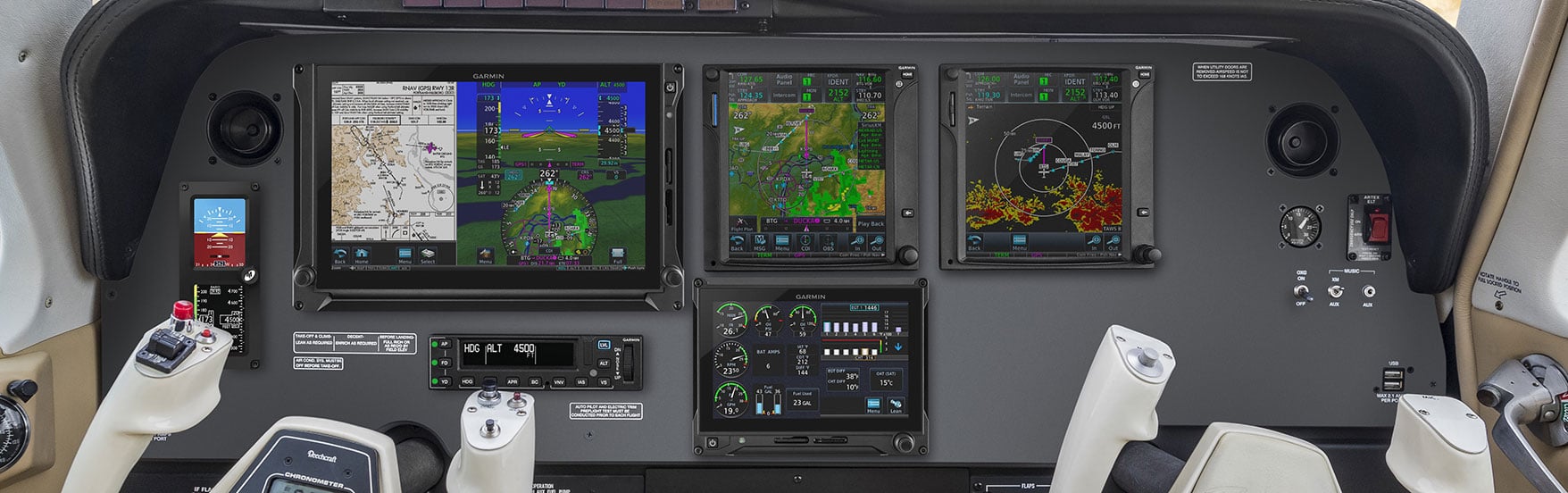
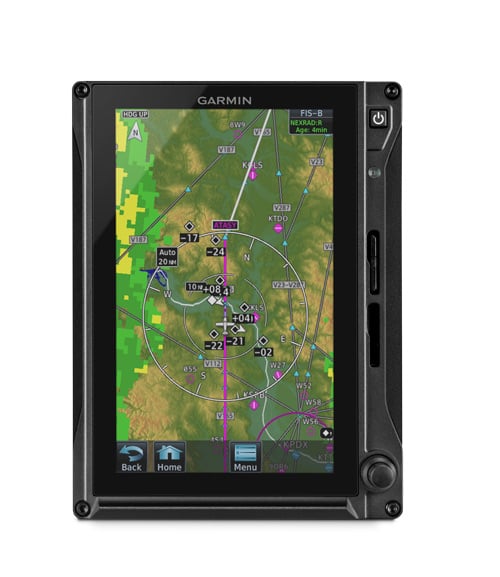
Designed specifically for FAR Part 23 Class 1/Class 2 aircraft (singles and twins weighing less than 6,000 lbs), G500 TXi glass touchscreens integrate with the GTN Xi touchscreen GPS/Nav/Comm series¹ to provide a fully certified glass suite solution. Reliable attitude/heading reference system(s) (AHRS) replaces the old-style, maintenance-prone mechanical gyros in your system. Available in 7” portrait or landscape orientations — and in a larger 10.6” horizontal format — the G500 TXi displays offer a variety of configurations to fit your panel and budget. In a single 10.6” installation, the display accommodates primary flight (PFD) and a multifunction (MFD) capabilities on the same unit. Optional engine, fuel and electrical readouts (EIS) can also be viewed in a vertical strip alongside the PFD/MFD. A second 10.6” display can be split 80/20 to accommodate MFD and EIS functions, allowing the PFD to show full-screen flight data. The 7” portrait format can act as a dedicated PFD (with HSI map), MFD or EIS — or as a split-screen MFD/EIS display2. And the 7” landscape format can be configured to provide dedicated, PFD information, EIS or split-screen MFD/EIS2.

Flexible Configuration Options

In configuring your system, you can mix and match up to four of the high-resolution touchscreen displays in your cockpit. Or you can start with a single 7” display serving as your PFD, and expand the system’s capabilities by adding additional G500 TXi displays. The variety of G500 TXi screen sizes and display orientations can support a multitude of approved cockpit configurations. And each display offers the capability to have a built-in AHRS along with an air data computer (ADC) module integrated on the back of the display unit. As an additional option for remote mounting, a combined air data and attitude heading reference system (ADAHRS) is available, or AHRS and ADC units are available separately. For aircraft already equipped with the original G500 series flight displays, full TXi compatibility with existing system sensors makes for an easy, cost-effective upgrade path.

Stand-alone or Integrated Engine Indications

Whether it’s integrated in a split-screen view on the 10.6” display or shown on a 7” display, engine and fuel monitoring data is easy to access and interpret with G500 TXi. The optional engine indication system is compatible with most popular Lycoming or Continental 4- to 6-cylinder engines (whether normally aspirated or turbocharged) and can provide support for both single- and twin-engine aircraft. Prominent engine gauges on the display provide real-time indications and support for lean assist mode, pilot advisories, fuel quantities and more — enabling you to optimize fuel economy while maintaining high efficiency and performance from your engine(s). Better still, EIS data is automatically logged to an SD™ card and, with Connext® cockpit connectivity, is wirelessly transmitted to the Garmin Pilotapp1. This data can then be exported and analyzed by your service team.

Standalone or Integrated Engine Information

Brighter, Faster, Easier, Better

Garmin built the TXi series from the ground up by leveraging the experience gained in designing and fielding thousands of integrated flight displays. The TXi series features an intuitive menu interface that lets you use familiar knobs and/or touchscreen inputs to quickly access the functions, screen views and other flight information you want to see. Powerful dual-core processors boost the system’s graphical display capabilities — with faster zooming, panning and map rendering. Optional Garmin SVT™ synthetic vision technology enables a 3-D virtual reality landscape to be integrated on the G500 TXi flight display. Plus, modernized fonts and backlighting offer improved readability and increased display clarity to help lighten your in-flight visual workload.

HSI Mapping Takes Center Stage

To provide even more situational awareness, G500 TXi includes HSI mapping capabilities on the 7” portrait and 10.6” display configurations, which put an MFD-like perspective map view within the HSI portion of your PFD. In addition to the geographical map, the HSI map view can also support the overlay of NEXRAD imagery and weather inputs from ADS-B and SiriusXM® datalinks. Additional overlays include SafeTaxi® airport diagrams, traffic, terrain and more. HSI map control and on-screen navigation are a snap, thanks to a Garmin innovation that lets you zoom in or out on the map, using a simple and natural single-finger swipe gesture.

High-level Avionics Integration

G500 TXi was designed to interface with a wide range of avionics equipment, including our digital GFC600 series, GFC 500 (requires G5 as standby instrument) and other popular autopilots installed in Class 1 and Class 2 aircraft. You can use the G500 TXi touchscreens for control/display of heading, course and navigation source inputs as well as autopilot mode annunciations and more (with compatible inputs). Plus, G500 TXi allows automatic GPS-to-LOC switching when paired with the GTN 750Xi/GTN 650Xi series navigators, which allow the GFC 500 autopilot to fly complete ILS approaches. As an option, separate dedicated PFD controllers are also available in five different control layouts for continuity with the specific autopilot system installed in the aircraft. G500 TXi also offers advanced integration capability with GTN series navigators, providing full touchscreen continuity between the navigation, communication and flight display functions in your panel.

High-level Avionics Integration

Redundancy Adds Assurance

For extra peace of mind in systems where multiple displays are installed, G500 TXi is designed to enter a reversionary mode — allowing a single 7” portrait or 10.6” display to present primary flight instrumentation and engine indications (if EIS equipped) — in the unlikely event of another display failing or shutting down. The displays have backup GPS receivers built-in as well, providing redundancy in the event your system’s primary GPS navigator ever fails.

Redundancy Adds Assurance

Connext Cockpit Connectivity

For even more ease-of-use functionality, team your G500 TXi displays with a GTN 650 or GTN 750 or GTN 650Xi or GTN 750Xi series navigator and our Flight Stream 510 wireless gateway¹. This setup enables our Connext wireless cockpit connectivity, which lets you stream information in real time between your avionics and compatible mobile devices running the Garmin Pilot, ForeFlight mobile or FltPlan Go apps. This turns your tablet or smartphone into a true cockpit interface. You can use your mobile device to create flight plans whenever and wherever it’s convenient, and then easily transfer the data to your avionics once you get to the airport. You can also wirelessly stream weather, traffic, attitude information and more from your avionics to your compatible device4. Plus, by using Database Concierge via Flight Stream 510, you can wirelessly transfer aviation databases downloaded to the Garmin Pilot app on your mobile device to your GTN 650/750 or GTN 650Xi/750Xi and G500 TXi system. For aircraft without a GTN navigator, Flight Stream 510 can also be paired directly with a TXi display to provide flight data to Garmin Pilot — and/or provide EIS data, when EIS TXi is installed.

Add Standby, Weather, Traffic and Other Options

Pairing G500 TXi with a GI 275 electronic flight instrument adds standby attitude indicator capabilities to your panel. The displays even synchronize heading and airspeed bugs for easy transition to the standby instrument. G500 TXi seamlessly integrates with a variety of optional sensors and datalinks to support the latest weather and traffic monitoring capabilities. Our Doppler-capable GWX™ 75 onboard color radar features a reliable, solid-state design as well as optional turbulence detection and ground clutter suppression capabilities. For pilots flying in the U.S., our GTX™ 345 series all-in-one ADS-B transponders provide easy access to subscription-free ADS-B weather and advanced dual-link traffic services. Plus, by installing a GDL® 69A satellite receiver with your system, you can add ground-and-airborne-accessible SiriusXM satellite weather and audio entertainment channels to the mix (subscriptions required). For a worldwide datalink solution, our GSR 56 datalink provides weather data and radar imagery through the Iridium® global satellite network. And for even more advanced traffic surveillance in high-density airspace, G500 TXi integrates with select TAS or TCAS systems, including our GTS™ family of traffic surveillance products. Additionally, TXi also supports multiple video input options that enable the MFD to serve as a live-cam video monitor.

Weather

It Remembers Your Likes and Preferences

Don’t you hate it when another pilot starts twiddling with your avionics settings — and neglects to put them back the way you left them? With G500 TXi, those worries are over. Your custom pilot profile settings can be saved4 within the system or loaded onto a removable SD card — which means you can also take your settings with you to another G500 TXi-equipped aircraft. Pilots operating within a flying club or flight school will especially appreciate this feature. Your preferred settings for backlighting, map settings and more can all be configured under your individual profile — allowing you to easily restore your system preferences prior to each flight.

Learn More About G500 TXi

With installation approval available for hundreds of aircraft models, retrofitting your cockpit with G500 TXi is a straightforward, all-bases-covered proposition. You can select from a wide range of display formats. And no matter which configuration you choose, you’ll be flying with the peace of mind that comes with an industry-leading 2-year warranty, backed by our award-winning product support team. See your authorized Garmin installation center to get on board with a G500 TXi upgrade for your aircraft.

¹Additional hardware may be required and is sold separately
²7” display split-screen MFD/EIS format is available for single-engine piston aircraft only
4Weather streaming requires compatible ADS-B or SiriusXM datalink; traffic streaming requires compatible ADS-B datalink
5Requires display with MFD capability

XM Satellite Weather Jeppesen Onboard SafeTaxi

Garmin GTN™ 635Xi – GPS/COMM/MFD

Call us at (956) 725-8898 for aircraft compatibility and product matching!
Toggle

TAP INTO A NEW GENERATION OF FASTER, SMARTER AVIONICS

With more pixels, more processing power, more speed and performance, our GTN 635Xi system brings exciting new growth capabilities to the industry’s premier GPS/Comm/MFD platform.

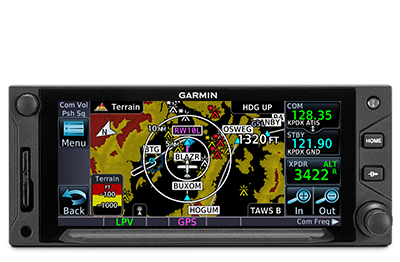
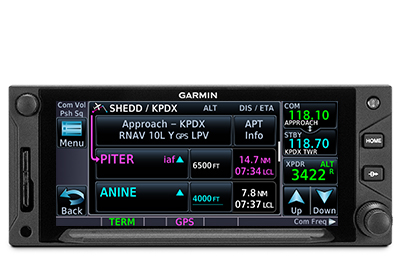
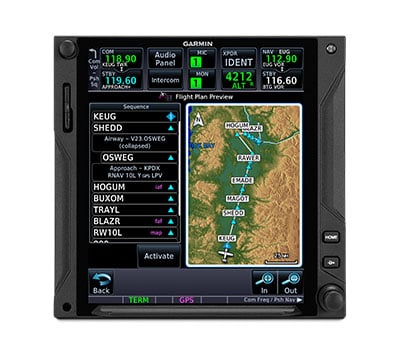
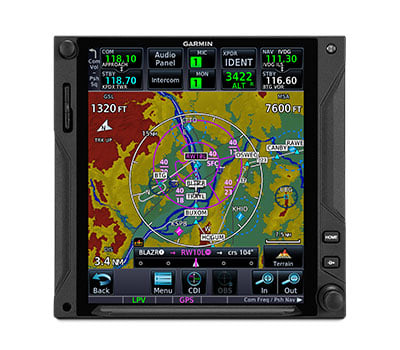
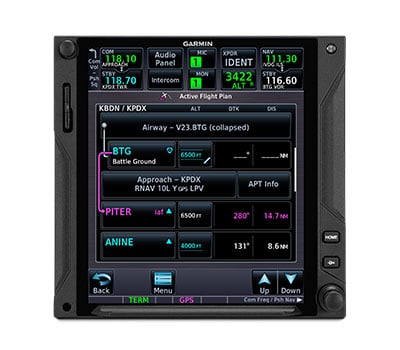
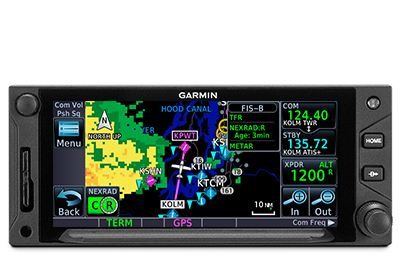
Visualize your entire flight plan, including holds and approaches on a 4.9” touch display.

Faster is better. High-speed processors cut boot-up time by 50% over earlier GTN models.

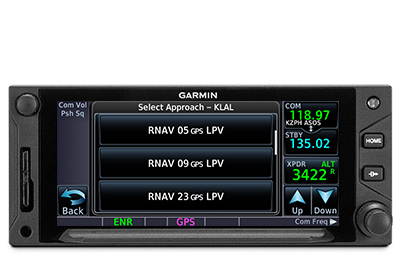
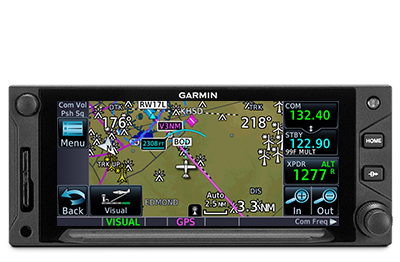
Fly the approaches you want — from visual glidepaths to LPV, RNAV and more.

It’s interface-friendly with a wide range of existing avionics, autopilots and flight displays1.

Wirelessly load flight plans and database updates with an optional Connext® link.

Upgrade? New GTN Xi series offers easy slide-in upgrade for existing GTN avionics.

DO-IT-ALL TOUCHSCREEN

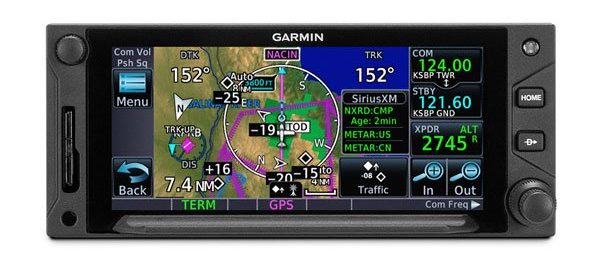
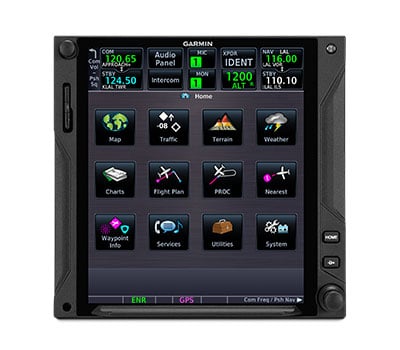
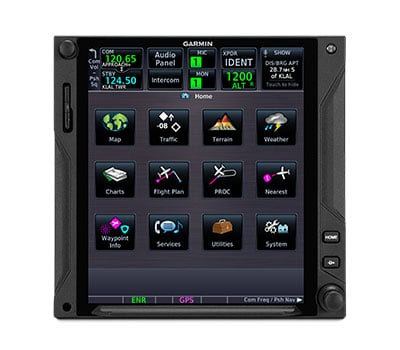
Intuitive touchscreen interface provides quick access to navigation, radio tuning, multifunction display features and more.

LIGHTNING-FAST RESPONSE

Powerful dual-core processors boost the GTN Xi series graphical display capabilities — with faster zooming, panning and map rendering on the display.

HIGH-RESOLUTION DISPLAY

With almost double the pixel count of its predecessor, the GTN Xi series features wider viewing angles and one of the highest-resolution displays ever offered in this class of avionics.

MULTIFUNCTION DISPLAY

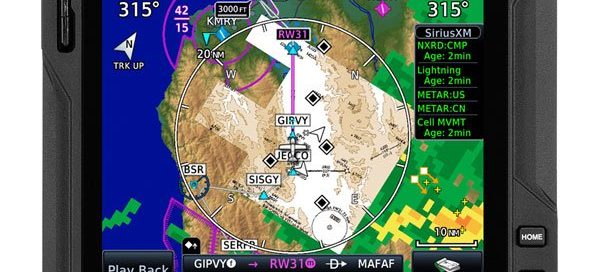
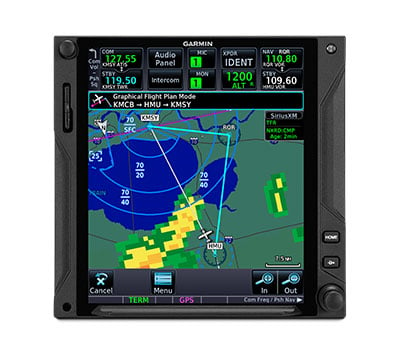
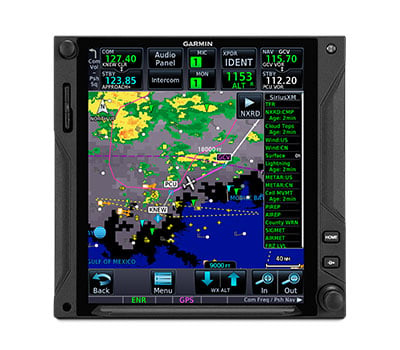
Supporting multiple inputs, the 4.9” display can put moving maps, terrain, traffic2, weather2, airport diagrams and more at your fingertips.

EASY DATA ENTRY

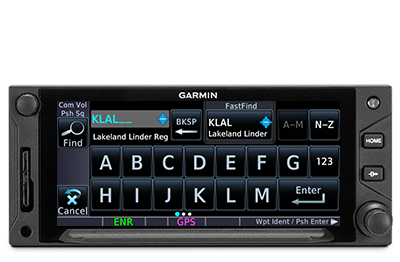
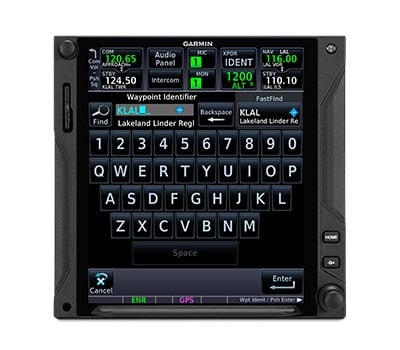
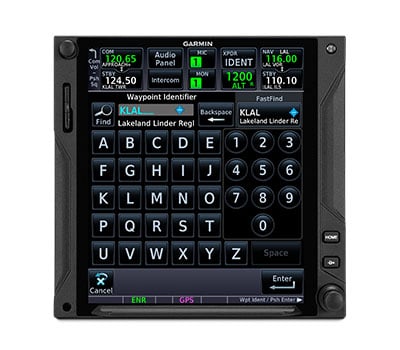
Use the on-screen QWERTY keyboard or traditional concentric knobs to enter frequencies, waypoint identifiers, routings and more.

TELL IT, TUNE IT

Available Telligence™ voice control technology helps reduce pilot workload by responding to hundreds of spoken commands with the press of a button on the yoke2.

PINCH, SWIPE GESTURES

A quick finger swipe lets you pan across the map display. Or use a smartphone-like pinch-to-zoom motion to scale up or down on any map, traffic or terrain page.

SEE THE FULL PICTURE

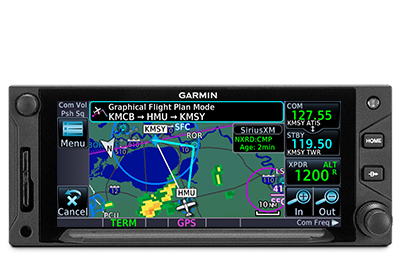
Graphical routing on the display lets you visualize your entire flight plan, including departures, arrivals, visual/instrument approaches, holding procedures and more.

FAST FIND

As soon as you start typing, the GTN Xi FastFind feature uses quick predictive logic to suggest airport and waypoint entries by using current GPS position. Just select and go.

AIRWAYS, YOUR WAY

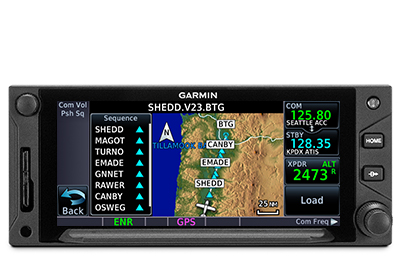
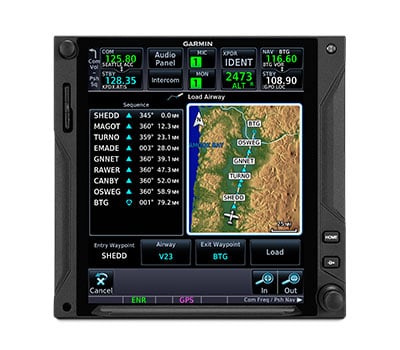
Victor airways and high-altitude jet routes can be overlaid on the map. For easy IFR routings, view airway segments available from a waypoint and corresponding exit options.

“RUBBER BAND” REROUTES

This handy feature lets you grab a flight plan leg on the screen, and then stretch or move it to adjust for a deviation or ATC amendment to your flight plan.

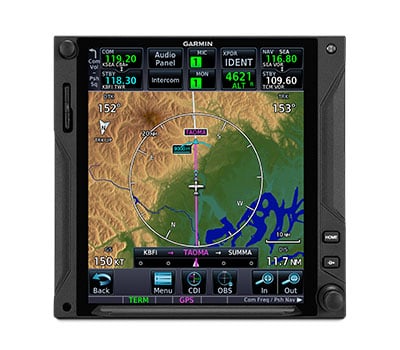
VIRTUAL MAP TOPOGRAPHY

By referencing built-in terrain, mapping and obstacles databases, GTN 635Xi shows detailed surface features, cities, airports, SUAs and more on the dynamic map display.

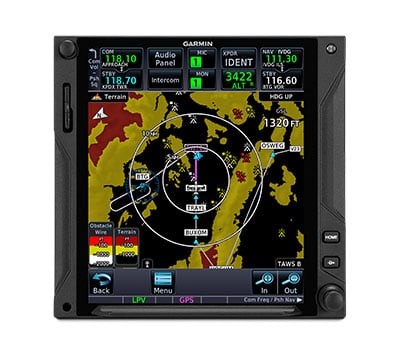
TERRAIN ALERTING

A built-in database provides color-coded display overlays to warn when potential terrain conflicts loom ahead. Class A or B TAWS alerting is optionally available.

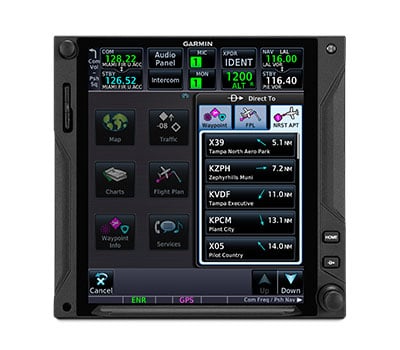
DIRECT CONNECT

A Direct-to key on the bezel lets you quickly enter a direct course for any selected waypoint. A menu of nearest airports and flight plan waypoints makes for easy entry.

MORE APPROACH OPTIONS

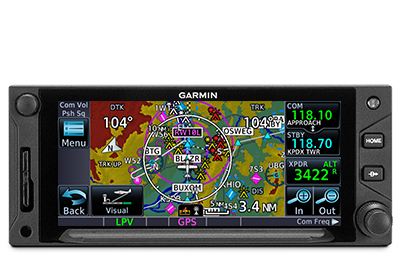
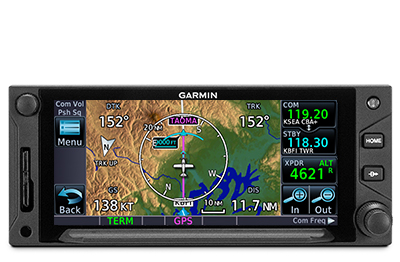
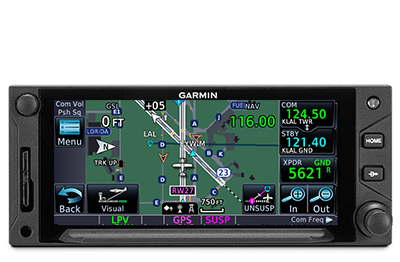
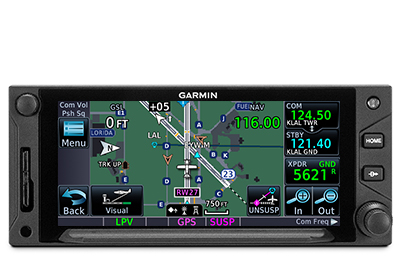
The WAAS/SBAS-certified GPS receiver expands your landing options, enabling GPS-guided LPV glidepath approaches down to ILS-comparable minimums as low as 200’.

CLEARED FOR THE VISUAL

GTN Xi can give advisory visual approach guidance based on a published glidepath or a 3-degree slope from the runway threshold (with terrain/obstacle clearance).

AUTOPILOT INTERFACE

Precise course deviation and roll steering outputs can be coupled to select autopilots, enabling virtually all IFR flight procedures to be flown automatically.

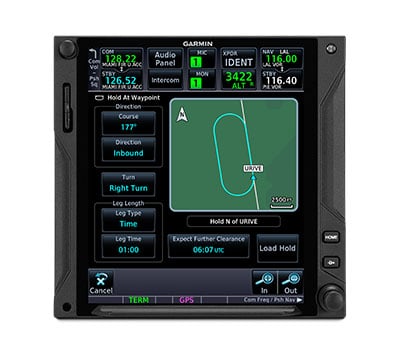
HOLDING PATTERNS

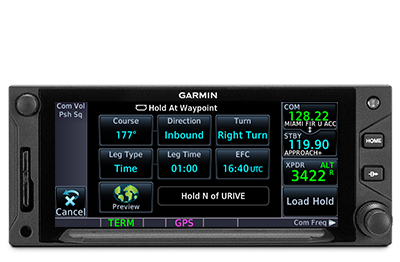
IFR pattern entries can be tricky. GTN 635Xi lets you easily create and execute holding patterns over a published or user-defined waypoint.

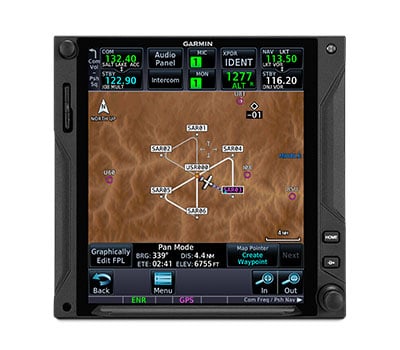
SEARCH AND RESCUE

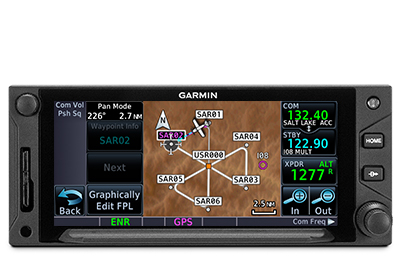
For aerial surveillance, common search pattern types — including orbit, parallel line, expanding square and sector search — can be loaded into your flight plan on the GTN 635Xi navigator2.

SUPPORTS VNAV AND MORE

With our GFC™ 500 and GFC 600, GTN 635Xi supports advanced modes and features such as vertical navigation profiles, radius-to-fix legs, missed approaches and more.

SAFETAXI® DATABASE

Upon landing, georeferenced SafeTaxi diagrams on the display automatically help track your location on hundreds of airports.

BUILT-IN COMM TRANSCEIVER

A 2,280-channel capable VHF Comm radio gives GTN 635Xi a standard 10 watts (or optional 16 watts) of talking power with pilot-selectable 25 kHz or 8.33 kHz channel spacing.

FIND A FREQUENCY

A work-saving lookup function lets you enter any airport identifier and have the GTN Xi navigator look up the frequencies for that location (tower, ground, ATIS, clearance delivery, etc.)

INSTANT RECALL

GTN Xi database technology allows you to quickly recall your most frequently or recently used frequencies. Plus, holding down the volume knob will dial up the emergency frequency.

STATION CONFIRMATION

If you’re given a frequency by ATC, our GTN Xi lookup function will automatically provide the station identifier right below it. So you’ll know you’re making the right call.

ADS-B DATA LINKS

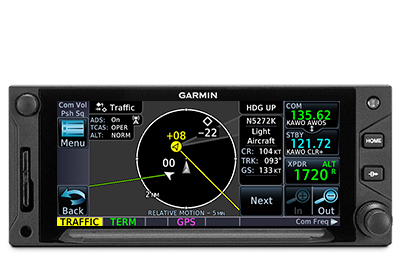
With available Garmin ADS-B “In” equipage solutions, GTN 635Xi can display up to 60 ADS-B traffic targets as well as subscription-free U.S. weather data.

TARGETTREND™ TRACKING

ADS-B based TargetTrend relative motion tracking on the GTN Xi display gives pilots a faster, more intuitive way of judging traffic closure rates and trajectories.

TERMINALTRAFFIC™ DISPLAY

Providing a dynamic display of ADS-B-equipped aircraft and ground vehicles, this technology helps pilots avoid traffic conflicts within the airport environment.

ACTIVE TRAFFIC SOLUTIONS

For more advanced traffic surveillance capability, GTN Xi can integrate with select TAS or TCAS/ACAS systems, including our GTS™ family of ADS-B enhanced products.

SIRIUSXM® SERVICE

When paired with an optional GDL® 69 datalink receiver, GTN Xi can incorporate SiriusXM satellite weather coverage — plus audio entertainment features4.

WORLDWIDE COMMUNICATIONS

Want global weather, radar imagery and two-way text/voice communications from the air? Connect your GTN 635Xi with our optional GSR 56 satellite link4.

CONNECTED COCKPIT

Use optional Connext technology to stream information between GTN Xi and compatible Garmin portables or mobile devices running the Garmin Pilot™ or FltPlan Go apps5.

FLIGHT PLAN TRANSFER

Save time by creating your flight plan on your mobile device at home, then use Connext2 to wirelessly upload the data into your GTN Xi during preflight at the airport.

DATABASE SYNC

A Flight Stream 510 Connext gateway5 adds Database Concierge to your GTN Xi navigator. Upload databases from your tablet in minutes — then let automatic sync with your avionics do the rest.

FLIGHT STREAM

In addition to GPS data, a compatible Connext wireless gateway5 can stream ADS-B traffic, weather and backup attitude data to your mobile device in real time2.

HELICOPTER OPTIMIZATION

For demanding helicopter missions, optional GTN 635Xi versions are available with an NVG-compatible display and some 200,000 more low-altitude obstacles in the database.

POWER LINE DATA

For added protection and visual reference in low-level flight conditions, an expanded GTN Xi helicopter database includes more than 700,000 miles of power lines.

WIREAWARE™ TECHNOLOGY

Using the expanded helicopter database, WireAware helps pilots recognize wire-strike hazards with proximity alerts and power lines displayed on the GTN Xi moving map.

HTAWS ALERTING

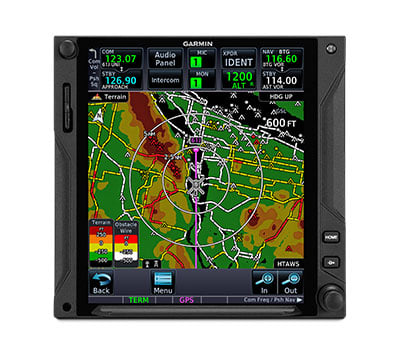
Optional HTAWS provides GTN Xi with audible alerting and five-color map shading to highlight nearby terrain, obstacles and wires — with voice callouts on descent below 500’.

RADAR ALTIMETER

When paired with a GRA™ 55 radar altimeter5 , GTN Xi can be used to track terrain clearance, displaying precise AGL altitude with HTAWS alerting down to 50’.

ON-SCENE MODE

In scenarios such as electronic news gathering, where it’s necessary to hover in proximity to other helicopters, On-scene mode lets pilots minimize repeat alerts for traffic they’re aware of.

Garmin GFC™ 500 Digital Autopilot

Call us at (956) 725-8898 for aircraft compatibility and product matching!
Toggle

It’s the Autopilot Solution GA Aircraft Owners Have Been Waiting For

  • Cost-effective, precise and smooth in-flight characteristics, built-in self-monitoring capabilities and lower cost of ownership when compared to older autopilot systems
  • Designed for light piston, fixed-wing aircraft, GFC 500 is now available for a growing list of aircraft models
  • Leverages certificated flight instruments such as the G51 and GI 2751 for attitude reference, and optionally flight displays such as the G3X Touch2 or G500 TXi2 for display of autopilot modes and flight director cues.
  • Robust feature set, including safety features such as underspeed and overspeed protection, a dedicated return-to-level (LVL) mode button, Garmin ESP (Electronic Stability and Protection), Flight Director (FD), coupled approaches and missed approaches when paired with a compatible navigator and much more
  • Offers 2-axis (pitch and roll) capabilities with optional pitch-trim; yaw damper optionally available on select aircraft

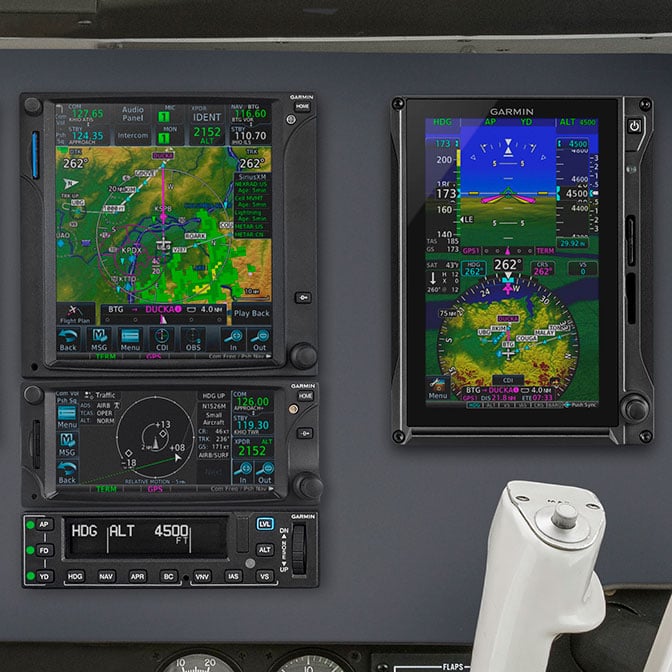
The revolutionary GFC 500 autopilot brings unprecedented levels of capability, reliability and affordability to light single-engine, fixed-wing general aviation aircraft. GFC 500 leverages our advanced attitude-based flight control technology developed for the popular GFC 700 autopilot, which drives our most advanced glass flight deck systems

To help prevent incidents caused by loss of control, the FAA and other regulators encourage the use of key technologies, such as angle-of-attack indicators and autopilots, to help increase situational awareness, reduce pilot workload and enhance safety of flight. GFC 500 is the right product — at the right price — for certified light GA aircraft. Boasting a superior feature set, GFC 500 incorporates a number of safety-enhancing technologies, including Garmin ESP, underspeed and overspeed protection, automatic LVL mode, vertical navigation (VNAV) mode³, flight director (FD) command cues and more.

Smart Technology, Easily Accessible

Drawing on top-end Garmin flight control technology from our GFC 700, GFC 500 provides crisp, precise response and optimum performance over the entire airspeed envelope of your aircrcaft. Rather than depending on failure-prone mechanical gyros, the GFC 500 system is digitally controlled, using solid-state attitude and air data sensor reference — giving you ultra-smooth roundouts, intercepts and more while also enhancing the reliability of the system. Incorporating the highly adaptable GI 2751 electronic flight instrument, or our crisp, easy-to-read 3.5” G5 electronic flight instrument¹, a mode controller and “smart” servos, the autopilot’s architecture supports full pitch-and-roll axis control capabilities with optional pitch trim for automatic and manual electric trim. Additionally, yaw damper capability is optionally available for select aircraft models.

With the optional GAD 29 nav data adapter (not required with GI 275), GFC 500 will interface with modern Garmin navigators such as the GTN Xi series and legacy GNS (WAAS and non-WAAS) series navigators to fly a wide range of precision, non-precision and GPS-guided approaches as well as holds, procedure turns, missed approaches and more. GFC 500 also includes built-in GPS roll steering capability, which allows smoother navigation tracking and eliminates the need for external roll steering converters. Flight director cues are displayed as command bars on the GI 275, G5 electronic flight instrument, as well as optionally on a G3X Touch G500 or G500 TXi flight display². The command bars are always in view when the autopilot is doing the flying — and may also be used for visual guidance when you’re hand-flying the aircraft. With support for a remotely installed Takeoff/Go-around (TOGA) button, the flight director can be cued to automatically indicate and capture the correct pitch attitude required to fly a missed approach and then follow the missed approach procedure loaded in your compatible GPS navigator. Up to two GI 275 or two G5 electronic flight instruments1can be interfaced with the GFC 500 autopilot in your aircraft, providing full reversionary display capability.

Mode Control at Your Fingertips

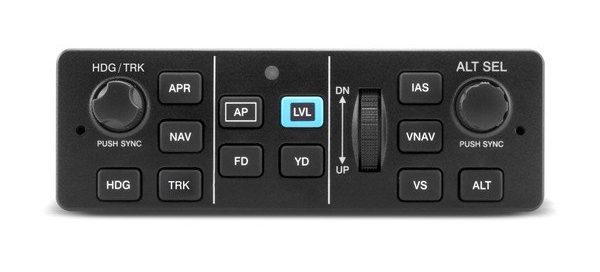
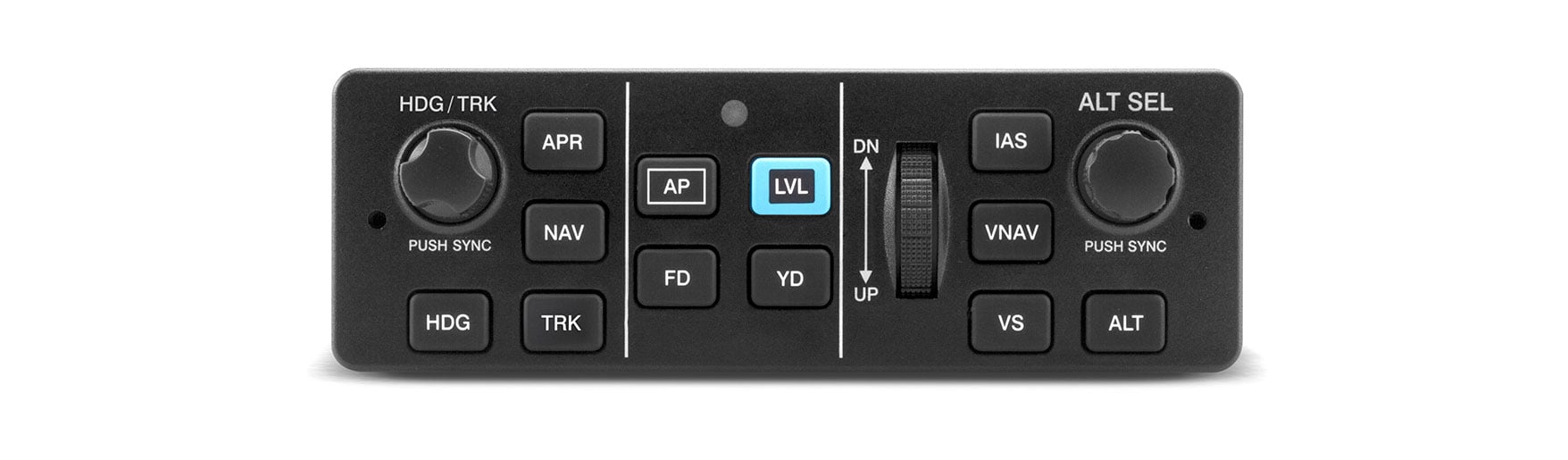
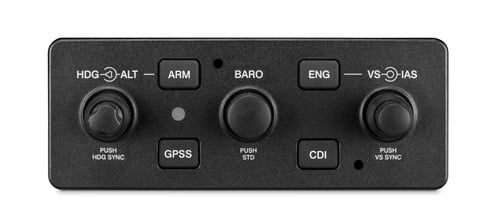
A mode controller is included with your GFC 500 package, and its compact size and mark-width design require only minimal space in your avionics stack while providing easy access to all autopilot modes and functions. You can select advanced lateral and vertical modes such as pitch hold, altitude preselect, altitude hold, vertical speed and indicated airspeed hold as well as roll, track and selected heading. An intuitive control wheel integrated into the GFC 500 mode controller allows for easy and precise pitch, vertical speed and airspeed adjustments, while separate knobs allow quick twist control of heading and altitude. For added safety, a dedicated LVL button on the controller lets you command the autopilot to automatically return your aircraft to straight-and-level flight — and thus help avert a potential loss-of-control situation.

Hand-fly

Silky-smooth Servo Control

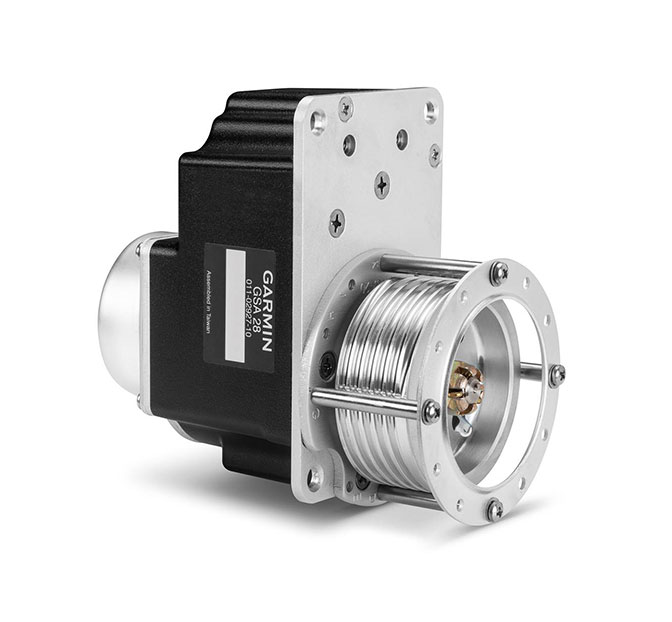
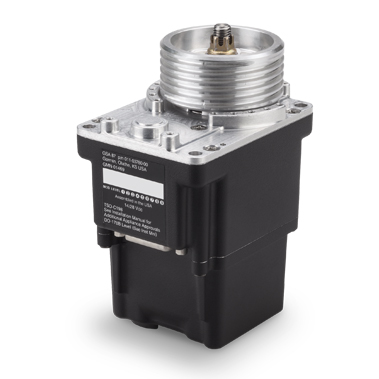
For maximum reliability and safety, the GFC 500 servos incorporate brushless DC motors and a gear train that eliminates the need for a mechanical slip clutch and shear pins. This design results in enhanced system efficiency — while also reducing maintenance/inspection requirements. The servos also provide virtually no control system friction with the autopilot turned off, decoupling the motor drives so you can easily hand-fly or override the system without fighting the controls. The servos weigh only 1.4 lbs each, making them more than 40% lighter than most other autopilot servos of their class. Each servo is operated by its own built-in microprocessor, which provides the “smart” logic to significantly improve sensor performance, response and self-monitoring capabilities — while simplifying overall system configuration and installation.

Hand-fly with Stability Protection

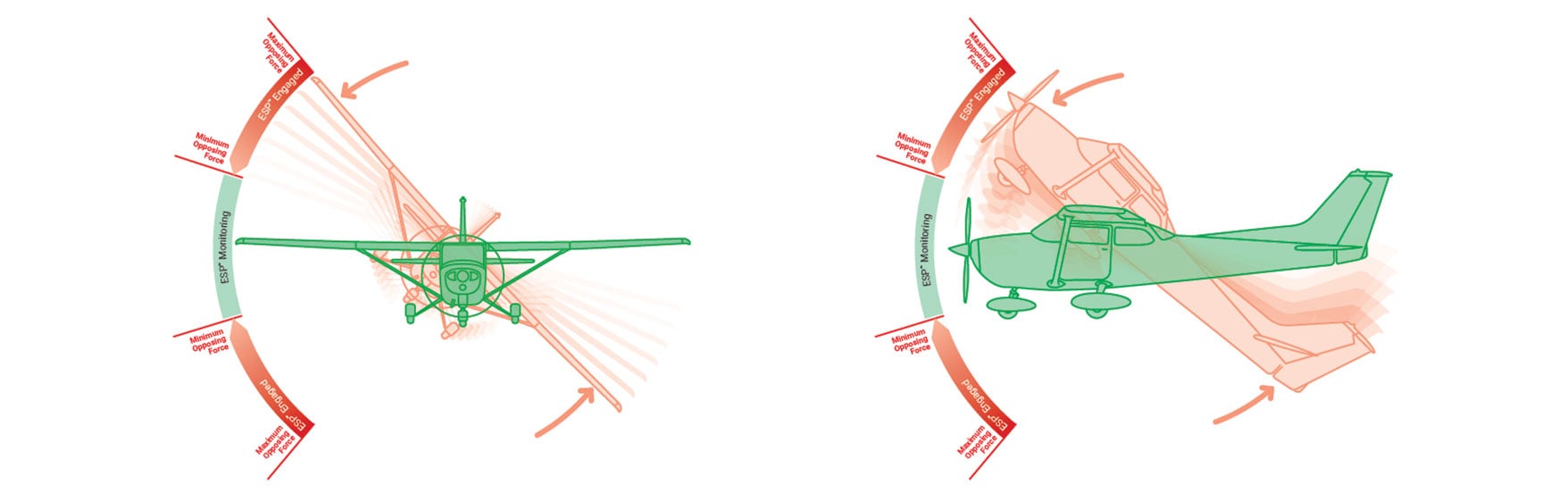
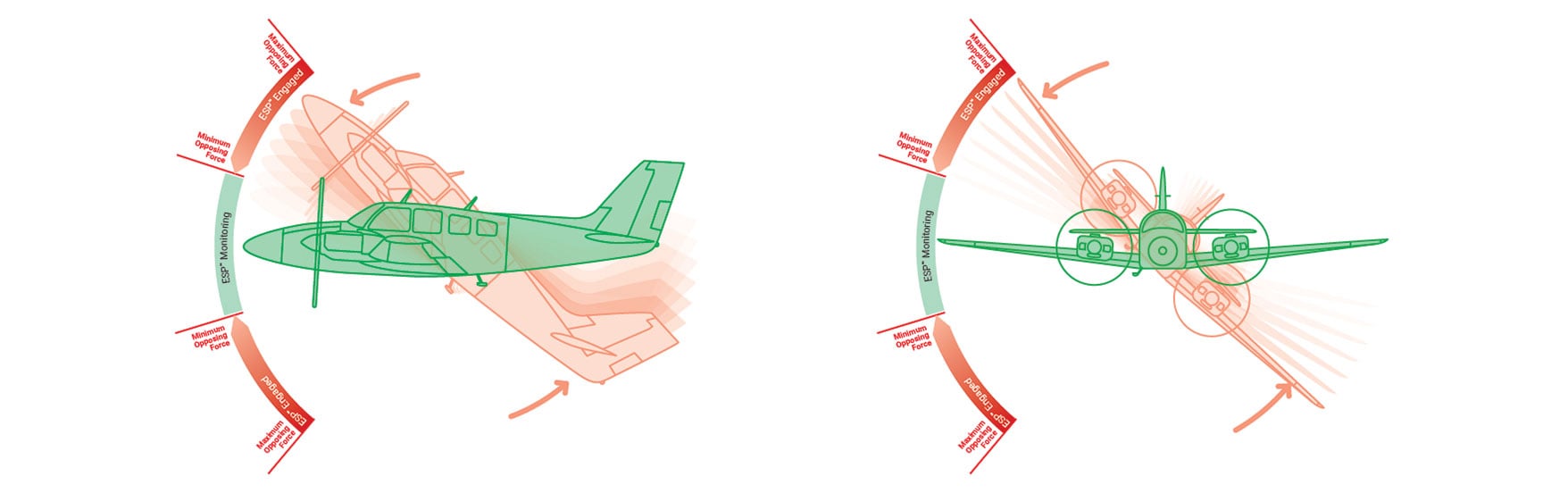
Any pilot who’s ever been startled to attention by a stall warning horn in a busy cockpit will appreciate the proactive stability augmentation of our ESP technology, which is standard on the GFC 500 system. When the aircraft is being hand-flown, this ESP feature functions independently of the autopilot — although it uses the same control servos — to nudge the controls toward stable flight whenever pitch or roll deviations exceed the recommended limits or underspeed/overspeed conditions occur. In the event of pilot incapacitation, after the system detects that it has been activated for a specified period of time, the autopilot will engage with the flight director in level mode, bringing the aircraft back to level flight and helping to avoid the onset of inadvertent stall/spins, steep spirals or other loss-of-control scenarios. Additionally, ESP can be manually disabled to allow for intentional flight maneuvers.

Hand-fly

An Autopilot Knows Its Limits

With the autopilot engaged, GFC 500 also provides overspeed and underspeed protection. In a high airspeed situation — for example, if you’re descending and your aircraft is approaching VNE or VMO — the system will increase the aircraft’s pitch attitude, preventing a further increase in airspeed and potential structural damage. Likewise, at the other end of the speed spectrum, GFC 500 provides underspeed (stall) protection. For example, in the event the pilot does not immediately advance the throttle to full power, with the autopilot engaged while flying a missed approach sequence, the autopilot will help prevent an aircraft stall by reducing pitch attitude and provide the pilot with an “airspeed, airspeed” audible alert.
It’s a Total Peace-of-mind Investment

There is no substitute for a safe and vigilant pilot. But there are times when a “helping hand” at the controls can have a significant impact on the safety, comfort and enjoyment of your flight. Backed by a comprehensive warranty and the industry’s No. 1-rated product support team, our GFC 500 autopilot system is a price- and peace-of-mind breakthrough for pilots who want to add these valuable capabilities to their existing light piston GA aircraft. With supplemental type certification (STC) completed for a growing list of aircraft models, it’s easy to select an approved installation that meets your mission requirements and budget. See your authorized Garmin installation center for more details on configuring a GFC 500 autopilot system for your aircraft.

¹Requires compatible GI 275 or G5, sold separately.
²G500 TXi requires either a GI 275 or G5 (with GAD™ 29 adapter).
³VNAV mode requires GTN series or GTN Xi series navigator.

Garmin GFC™ 600 Digital Autopilot

Call us at (956) 725-8898 for aircraft compatibility and product matching!
Toggle

Bring New Levels of Autopilot Capability and Reliability to Your Aircraft

  • Cost-effective, superior in-flight characteristics, built-in self-monitoring capabilities and minimal maintenance needs when compared to older generation autopilot systems
  • Designed for single- and twin-engine piston and turbine aircraft that have a wide range of aircraft speed and performance characteristics, GFC 600 is now available for a growing list of aircraft models
  • Stand-alone autopilot that boasts superior integration potential with G600/G500 and TXi series glass flight displays, Garmin navigators, as well as a variety of third-party equipment
  • Robust feature set, including safety features such as underspeed and overspeed protection, a dedicated return-to-level (LVL) mode button, Garmin ESP (Electronic Stability and Protection), Flight Director (FD), coupled approaches and missed approaches when paired with a compatible navigator and much more
  • Offers 2-axis (pitch and roll) capabilities as well as pitch trim (provides automatic   trim and manual electric trim); addition of optional fourth servo adds yaw damp capability

Designed for aftermarket installation on high-performance single- and twin-engine piston aircraft as well as turboprops and jets, the GFC 600 flight control system offers an impressive array of top-level safety and performance features. Leveraging technologies developed for our popular GFC 700 autopilot that drives our most advanced glass flight deck systems, these sophisticated features include Garmin ESP, underspeed and overspeed protection, automatic LVL mode, airspeed climb and decent (IAS) mode, vertical navigation (VNAV) mode¹, flight director (FD) command cues and more.

Maximize Performance and Capability

Drawing on our top-end Garmin GFC 700 flight control technology, GFC 600 provides crisp, precise response and optimum performance over the entire airspeed envelope of your aircraft. Rather than depending on failure-prone mechanical gyros, the GFC 600 system is digitally controlled, using solid-state attitude and air data sensor reference — giving you ultra-smooth roundouts, intercepts and more while also enhancing system reliability. Offering a flexible upgrade solution, GFC 600 can be interfaced with a variety of Garmin and third-party instrumentation and navigation sources. The design of the GFC 600  includes environmentally hardened servos, allowing for installation in a wide range of airframes, including harsh operating conditions. The robust hardware used in the GFC 600 autopilot’s scalable architecture lets you tailor your system’s configuration to support the level of capability you want. Every component has been engineered to work seamlessly together to ensure optimum smoothness and comfort in flight — while helping to reduce pilot workload in the cockpit.

Guidance from a compatible navigation source (such as GTN 750 or GTN 650) lets the GFC 600 system automatically fly a wide range of precision, nonprecision and GPS-guided approaches as well as holds, procedure turns, missed approaches and more. GFC 600 also includes built-in GPS roll steering capability, allowing smoother navigation tracking and eliminating the need for external roll steering converters. For installations including a compatible flight display (such as G600/G500 or our TXi series), flight director cues are displayed as command bars and are always in view when the autopilot is doing the flying — and may also be used for visual guidance when you’re hand-flying the aircraft. Better still, with support for a remotely installed Takeoff/Go-around (TOGA) button, the autopilot can be cued to automatically capture the correct pitch attitude required to fly a missed approach and then follow the missed approach procedure loaded in your compatible GPS navigator.
Control from Your Avionics Stack

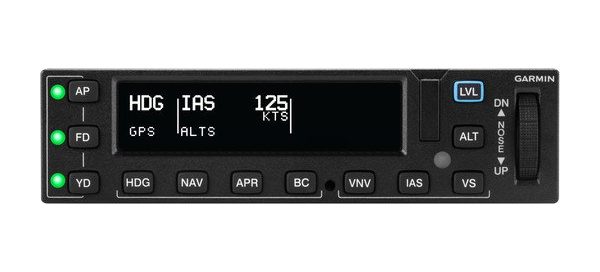
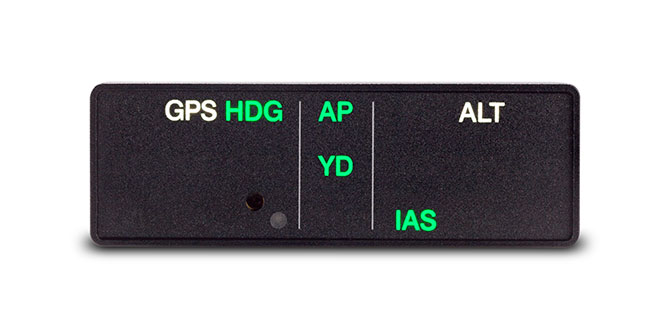
For selection and control of GFC 600 modes and functions, a compact autopilot controller comes standard with the system. Featuring backlit keys and a bright, sunlight-readable annunciator display, the mark-width controller mounts conveniently in your avionics stack. An intuitive up/down control wheel on the unit allows for easy and precise adjustment of aircraft pitch, airspeed and vertical speed modes. And for installations where the autopilot controller is out of the pilot’s primary field of view and a G600/G500 flight display is not installed for mode annunciation, a stand-alone mode annunciator is available that retains an identical footprint of third-party autopilot annunciators on the market. Support for a remotely-installed control wheel steering (CWS) button allows you to temporarily disengage the servos to hand-fly the aircraft. Then, to further enhance safety in potentially disorienting situations, a dedicated LVL mode button on the autopilot controller lets you command the autopilot to automatically return your aircraft to straight-and-level flight.

Silky-smooth Servo Control

Integrated “smart” servos linked to the flight control surfaces of your aircraft are used to apply the control inputs as commanded by the autopilot. Digitally controlled speed and torque limits on these inputs allow faster, crisper and more powerful response — enabling your GFC 600 system to track the intended flight path with smooth efficiency. For maximum reliability and safety, the GFC 600 servos incorporate brushless DC motors and a gear train that eliminate the need for a mechanical slip clutch. This design results in enhanced system efficiency — while also reducing maintenance/inspection requirements. The servos also provide virtually no control system friction with the autopilot turned off, decoupling the motor drives so you can hand-fly with ease.

Hand-fly with Stability Protection

As a standard feature, Garmin ESP works with GFC 600 to assist you in maintaining your aircraft in a safe, flight-stable condition when the aircraft is being hand-flown. This ESP feature functions independently of the autopilot — though it uses the same control servos — to gently nudge the controls toward stable flight whenever pitch or roll deviations exceed the recommended limits or underspeed/overspeed conditions occur. In the event of pilot incapacitation, after the system detects that it has been activated for a specified period of time, the autopilot will engage with the flight director in level mode, bringing the aircraft back to level flight and helping to avoid the onset of inadvertent stall/spins, steep spirals or other loss-of-control scenarios. Additionally, ESP can be manually disabled to allow for intentional flight maneuvers.

Hand-fly

An Autopilot That Knows Its Limits

With the autopilot engaged, GFC 600 also provides overspeed and underspeed protection. In a high airspeed situation — for example, if you’re descending and your aircraft is approaching VNE or VMO — the system will increase the aircraft’s pitch attitude, preventing a further increase in airspeed and potential structural damage. Likewise, at the other end of the speed spectrum, GFC 600 provides underspeed (stall) protection. For example, in the event the pilot does not immediately advance the throttle to full power, with the autopilot engaged while flying a missed approach sequence, the autopilot will help prevent an aircraft stall by reducing pitch attitude and provide the pilot with an “airspeed, airspeed” audible alert.
It’s Confidence-inspiring Technology

With its extensive features and advanced technology, the GFC 600 system offers unprecedented value in a retrofittable autopilot solution. Backed by a comprehensive warranty and the industry’s No. 1-rated product support team, it’s truly a system you can own and fly with confidence. With supplemental type certification (STC) completed on a growing list of aircraft models, it’s easy to select an approved installation that meets your mission requirements and budget. See your authorized Garmin installation center for more details on configuring a GFC 600 system for your aircraft.
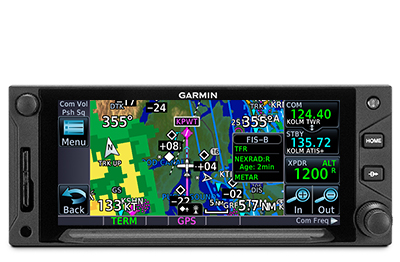
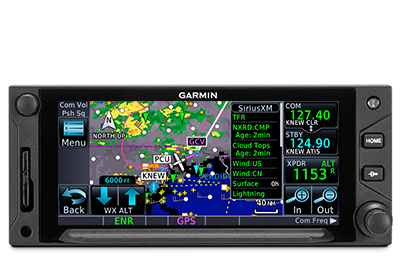
Garmin GTN™ 750Xi – GPS/NAV/COMM/MFD

Call us at (956) 725-8898 for aircraft compatibility and product matching!
Toggle

TAP INTO A NEW GENERATION OF FASTER, SMARTER AVIONICS

With more pixels, more processing power, more speed and performance, our GTN 750Xi system brings exciting new growth capabilities to the industry’s premier GPS/Nav/Comm/MFD platform.

Visualize your entire flight plan, including holds and approaches on a big 6.9” touch display.

Faster is better. High-speed processors cut boot-up time by 50% over earlier GTN models.

Fly the approaches you want — from visual glidepaths to LPV, RNAV, ILS and more.
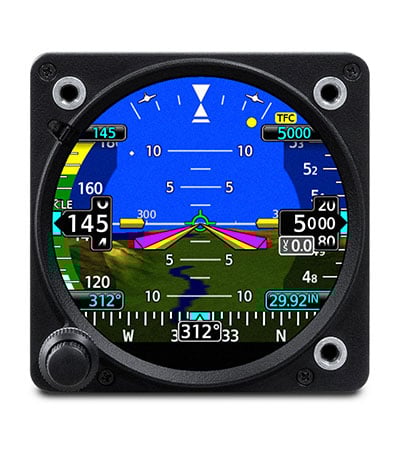
It’s interface-friendly with a wide range of existing avionics, autopilots and flight displays1.
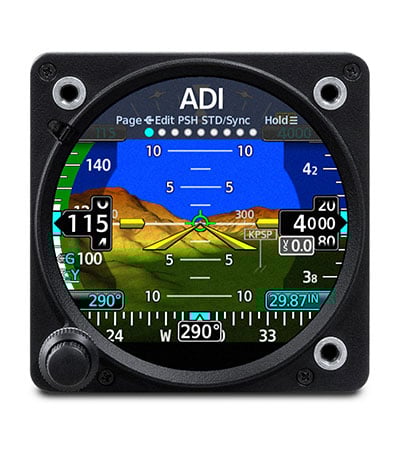
Wirelessly load flight plans and database updates with an optional Connext® link.

Upgrade? New GTN Xi series offers easy slide-in upgrade for existing GTN avionics.

DO-IT-ALL TOUCHSCREEN

Intuitive touchscreen interface provides quick access to navigation, radio tuning, multifunction display features and more.

LIGHTNING-FAST RESPONSE

Powerful dual-core processors boost the GTN Xi series graphical display capabilities — with faster zooming, panning and map rendering on the display.

HIGH-RESOLUTION DISPLAY

With almost double the pixel count of its predecessor, the GTN Xi series features wider viewing angles and one of the highest-resolution displays ever offered in this class of avionics.

MULTIFUNCTION DISPLAY

Supporting multiple inputs, the 6.9” display can put moving maps, terrain, traffic2, weather2, airport diagrams and more at your fingertips.

EASY DATA ENTRY

Use the on-screen QWERTY keyboard or traditional concentric knobs to enter frequencies, waypoint identifiers, routings and more.

TELL IT, TUNE IT

Available Telligence™ voice control technology helps reduce pilot workload by responding to hundreds of spoken commands with the press of a button on the yoke2.

PINCH, SWIPE GESTURES

A quick finger swipe lets you pan across the map display. Or use a smartphone-like pinch-to-zoom motion to scale up or down on any map, traffic or terrain page.

SEE THE FULL PICTURE

Graphical routing on the display lets you visualize your entire flight plan, including departures, arrivals, visual/instrument approaches, holding procedures and more.

FAST FIND

As soon as you start typing, the GTN Xi FastFind feature uses quick predictive logic to suggest airport and waypoint entries by using current GPS position. Just select and go.

AIRWAYS, YOUR WAY

Victor airways and high-altitude jet routes can be overlaid on the map. For easy IFR routings, view airway segments available from a waypoint and corresponding exit options.

“RUBBER BAND” REROUTES

This handy feature lets you grab a flight plan leg on the screen, and then stretch or move it to adjust for a deviation or ATC amendment to your flight plan.

VIRTUAL MAP TOPOGRAPHY

By referencing built-in terrain, mapping and obstacles databases, GTN 750Xi shows detailed surface features, cities, airports, SUAs and more on the dynamic map display.

TERRAIN ALERTING

A built-in database provides color-coded display overlays to warn when potential terrain conflicts loom ahead. Class A or B TAWS alerting is optionally available.

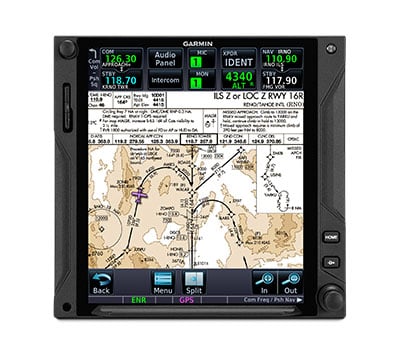
VIEW CHARTS IN CONTEXT

Our standard FliteCharts® or optional Jeppesen® style ChartView™ plates3 provide georeferenced approaches and terminal procedures.

DIRECT CONNECT

A Direct-to key on the bezel lets you quickly enter a direct course for any selected waypoint. A menu of nearest airports and flight plan waypoints makes for easy entry.

MORE APPROACH OPTIONS

The WAAS/SBAS-certified GPS receiver expands your landing options, enabling GPS-guided LPV glidepath approaches down to ILS-comparable minimums as low as 200’.

VHF NAVAID CAPABILITY

In addition to GPS guidance, full VHF navigation capabilities offer complete airspace system access, including VOR/ILS with localizer and glideslope.

AUTO-ASSIST ENTRY

When loading procedures, the GTN Xi series will pre-enter NAV frequencies to standby position for quick access. It also auto-selects the VHF NAV source for ILS approaches.

CLEARED FOR THE VISUAL

GTN Xi can give advisory visual approach guidance based on a published glidepath or a 3-degree slope from the runway threshold (with terrain/obstacle clearance).

AUTOPILOT INTERFACE

Precise course deviation and roll steering outputs can be coupled to select autopilots, enabling virtually all IFR flight procedures to be flown automatically.

HOLDING PATTERNS

IFR pattern entries can be tricky. GTN 750Xi lets you easily create and execute holding patterns over a published or user-defined waypoint.

SEARCH AND RESCUE

For aerial surveillance, common search pattern types — including orbit, parallel line, expanding square and sector search — can be loaded into your flight plan on the GTN 750Xi navigator2.

SUPPORTS VNAV AND MORE

With our GFC™ 500 and GFC 600, GTN 750Xi supports advanced modes and features such as vertical navigation profiles, radius-to-fix legs, missed approaches and more.

SAFETAXI® DATABASE

Upon landing, georeferenced SafeTaxi diagrams on the display automatically help track your location on hundreds of airports.

BUILT-IN COMM TRANSCEIVER

A 2,280-channel capable VHF Comm radio gives GTN 750Xi a standard 10 watts (or optional 16 watts) of talking power with pilot-selectable 25 kHz or 8.33 kHz channel spacing.

FIND A FREQUENCY

A work-saving lookup function lets you enter any navaid or airport identifier and have the GTN Xi navigator look up the frequencies for that location (tower, ground, ATIS, clearance delivery, etc.)

SPACE-SAVING AUDIO

To streamline your avionics stack, GTN 750Xi can double as the control panel for your audio system when it’s paired with one of our GMA™ 35 remote audio units (sold separately).

INSTANT RECALL

GTN Xi database technology allows you to quickly recall your most frequently or recently used frequencies. Plus, holding down the volume knob will dial up the emergency frequency.

STATION CONFIRMATION

If you’re given a frequency by ATC, our GTN Xi lookup function will automatically provide the station identifier right below it. So you’ll know you’re making the right call.

ADS-B DATA LINKS

With available Garmin ADS-B “In” equipage solutions, GTN 750Xi can display up to 60 ADS-B traffic targets as well as subscription-free U.S. weather data.

TARGETTREND™ TRACKING

ADS-B based TargetTrend relative motion tracking on the GTN Xi display gives pilots a faster, more intuitive way of judging traffic closure rates and trajectories.

TERMINALTRAFFIC™ DISPLAY

Providing a dynamic display of ADS-B-equipped aircraft and ground vehicles, this technology helps pilots avoid traffic conflicts within the airport environment.

ACTIVE TRAFFIC SOLUTIONS

For more advanced traffic surveillance capability, GTN Xi can integrate with select TAS or TCAS/ACAS systems, including our GTS™ family of ADS-B enhanced products.

SIRIUSXM® SERVICE

When paired with an optional GDL® 69 datalink receiver, GTN Xi can incorporate SiriusXM satellite weather coverage — plus audio entertainment features4.

WORLDWIDE COMMUNICATIONS

Want global weather, radar imagery and two-way text/voice communications from the air? Connect your GTN 750Xi with our optional GSR 56 satellite link4.

ONBOARD RADAR

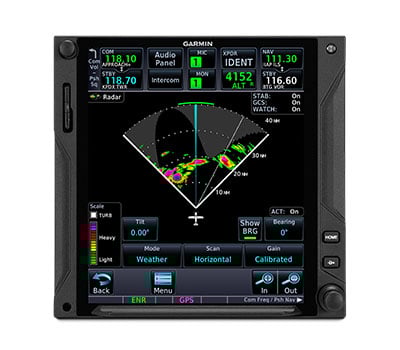
To scan your own storm cells, the large-format GTN 750Xi can double as a display for our Doppler-capable GWX™ 75series digital weather radars — as well as select third-party radar systems6.

CONNECTED COCKPIT

Use optional Connext technology to stream information between GTN Xi and compatible Garmin portables or mobile devices running the Garmin Pilot™ or FltPlan Go apps5.

FLIGHT PLAN TRANSFER

Save time by creating your flight plan on your mobile device at home, then use Connext2 to wirelessly upload the data into your GTN Xi during preflight at the airport.

FLIGHT STREAM

In addition to GPS data, a compatible Connext wireless gateway5 can stream ADS-B traffic, weather and backup attitude data to your mobile device in real time2.

DATABASE SYNC

A Flight Stream 510 Connext gateway5 adds Database Concierge to your GTN Xi navigator. Upload databases from your tablet in minutes — then let automatic sync with your avionics do the rest.

HELICOPTER OPTIMIZATION

For demanding helicopter missions, optional GTN 750Xi versions are available with an NVG-compatible display and some 200,000 more low-altitude obstacles in the database.

POWER LINE DATA

For added protection and visual reference in low-level flight conditions, an expanded GTN Xi helicopter database includes more than 700,000 miles of power lines.

WIREAWARE™ TECHNOLOGY

Using the expanded helicopter database, WireAware helps pilots recognize wire-strike hazards with proximity alerts and power lines displayed on the GTN Xi moving map.

HTAWS ALERTING

Optional HTAWS provides GTN Xi with audible alerting and five-color map shading to highlight nearby terrain, obstacles and wires — with voice callouts on descent below 500’.

RADAR ALTIMETER

When paired with a GRA™ 55 radar altimeter5, GTN Xi can be used to track terrain clearance, displaying precise AGL altitude with HTAWS alerting down to 50’.

ON-SCENE MODE

In scenarios such as electronic news gathering, where it’s necessary to hover in proximity to other helicopters, On-scene mode lets pilots minimize repeat alerts for traffic they’re aware of.

Garmin GI 275 – Attitude Indicator (AI/ADI)

Call us at (956) 725-8898 for aircraft compatibility and product matching!
Toggle

REPLACE ANALOG GAUGES WITH ELECTRONIC DISPLAYS

Adaptable to a full range of instrument formats and functions, our GI 275 electronic display lets you keep the classic look of your panel while upgrading with modern, reliable glass touchscreen display technology.

Out with the old, in with the new. It flush mounts in a standard 3-1/8” round cutout.

From piston singles to jets, it’s STC’d for more than one thousand make/model aircraft.

How do you see it? Attitude, altitude, airspeed, CDI, HSI, MFD or EIS.

It’s available with precise digital ADAHRS and interface to drive select autopilots.

Connect your cockpit with built-in Wi-Fi® connectivity and BLUETOOTH® technology.

Know you’ll get home with up to 60 minutes of optional backup battery power.

BASIC ATTITUDE

Save weight and maintenance/overhaul expense: replace that aging vacuum pump-driven attitude indicator, like the KI-256, with a reliable solid-state ADAHRS-driven GI 275 electronic display.

A LESS ARTIFICIAL HORIZON

To add situational awareness, your display can overlay attitude reference on an optional Garmin SVT™ synthetic vision landscape with flight path marker integration.

INSTRUMENT CONSOLIDATION

As your primary flight reference instrument, GI 275 features an integrated display to support all the essential readouts — attitude, altitude, airspeed and heading.

EDGE-TO-EDGE DISPLAY

The bright, high-resolution GI 275 touchscreen is sunlight-readable and maximizes the available space within the instrument panel cutout.

REFERENCE MARKERS

The GI 275 instrument can support display of selectable references to mark your arrival at a preselected altitude, heading or airspeed. Think overshoot avoidance.

ADI AUTOPILOT INTEGRATION

With an optionally available built-in autopilot interface that can replicate existing indicator outputs like the KI-256, GI 275 can provide precise attitude information to drive select autopilots and display flight director command bar cues.

STANDBY ADI

For select aircraft and glass cockpit systems1, GI 275 can function as a standby flight instrument with MFD capability2for mapping, traffic, weather and more.

KNOB OR TOUCH CONTROLS

The touchscreen on GI 275 makes accessing its functions a breeze. A traditional concentric knob is also available for those who prefer that style of data input.

GFC™ 500 AUTOPILOT INTERFACE

The GI 275 instrument is compatible with our GFC 500 autopilot for light piston aircraft. It provides the required attitude reference and supports FD cues and mode annunciations for GFC 500.

Garmin GTN 750

Call us at (956) 725-8898 for aircraft compatibility and product matching!
Toggle

Avidyne Entegra Flight Deck

Call us at (956) 725-8898 for aircraft compatibility and product matching!
Toggle

Avidyne Entegra

Avidyne brings affordable, state-of-the-art integrated display technology to the business and general aviation flight deck with its Entegra integrated flight deck.

Breakthrough Technology

Virtually all new air-transport and high-end business jet aircraft are delivered with integrated flight deck systems because of their enhanced safety, capability, and reliability. Avidyne revolutionized general aviation aircraft by delivering the Entegra integrated flight deck, and with it, providing all of the same safety, capability, and reliability benefits of air transport flight decks, but at cost and weight that meets general aviation requirements.

The Future is Now

Featuring large-format, flat panel liquid-crystal displays integrating virtually all instruments and gauges from today’s panels, Avidyne’s Entegra dramatically reduces pilot workload, while also saving weight and space. Entegra provides you with a new level of situational awareness, safety, and reliability. All at incredible savings over what you would expect to pay for a typical EFIS system.

Garmin G3000™

Call us at (956) 725-8898 for aircraft compatibility and product matching!
Toggle

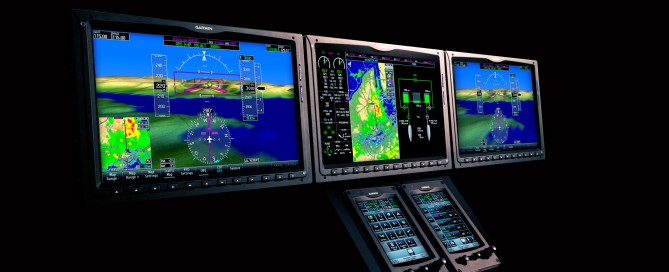
Suddenly, fingertip navigation is far more than a figure of speech. With the announcement of Garmin’s new G3000 system, you’re looking at the first touchscreen-controlled glass flight deck ever designed for light turbine aircraft.

Simple, Powerful and Expandable

This new digital avionics suite revolutionizes the interface between pilots and their electronics: Streamlining menu structures. Eliminating visual clutter. Replacing a whole host of mechanical knobs, buttons and selector switches. What’s more, by centralizing data entry in one easy-to-access location, the Garmin G3000 takes flight deck management to a whole new level – giving pilots more focused control with less wasted motion and effort. In short, your fingertips have never touched anything quite like this.